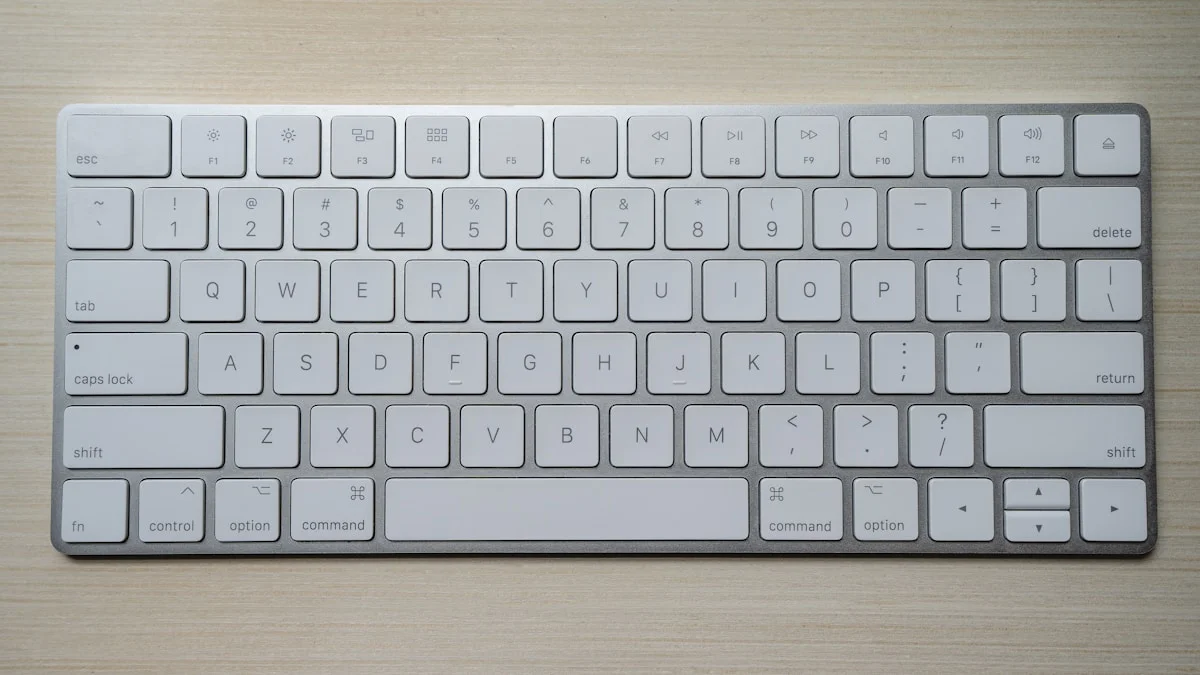
What's the best mechanical keyboard in 2026?
For most people, the Keychron Q1 Pro: hot-swappable switches, an aluminum body, and both wireless and wired modes, typically $199 to $210. If you want to spend a lot less and lose almost nothing that matters day to day, the Keychron V1 now regularly sells for $45 to $65 and gives you the same hot-swap experience in plastic.
The one-line verdict
Buy the Keychron Q1 Pro if you want one keyboard that does everything well. It’s hot-swappable, wireless or wired, built from aluminum instead of the plastic most gaming brands use at the same price, and it’s still the pick most enthusiast outlets and owners land on two years after launch. If you’re on a tighter budget, the Keychron V1 gets you the same hot-swap flexibility in plastic for a third of the price. Skip Razer, Corsair, and Logitech’s mechanical lineups at this price point: you’re mostly paying for RGB and a logo.
This guide is based on published specifications, professional reviews from outlets like Tom’s Hardware and RTINGS, and long-term owner feedback, not on a multi-month hands-on test we haven’t run. Prices below are current ranges at the time of writing and move constantly, so check the live listing before you buy.
Transparency: This guide contains affiliate links. If you buy through them we may earn a commission at no extra cost to you, which helps fund the site. It never changes what we recommend: a keyboard that costs us a commission but is genuinely wrong for you gets a “skip,” not a soft-pedal.
Who this guide is for
If you type for a living, whether that’s code, long-form writing, or spreadsheets, the keyboard is one of the few pieces of hardware you touch every working minute. A better switch and a stiffer frame make a real difference in comfort over an 8-hour day. If you’re chasing a specific competitive-gaming edge (rapid trigger, sub-millisecond actuation), see the hall-effect note near the bottom before you buy anything here. For everyone else, standard mechanical switches are the right call, and cheaper.
If you’re building out the rest of a desk to go with a new keyboard, our best monitor for programming guide, best wireless mouse guide, and desk setup under $500 guide cover the pieces around it.
Best overall: Keychron Q1 Pro
Roughly $199 to $210. Full aluminum 75% body, hot-swappable switches, QMK/VIA firmware, and both wireless and wired connectivity.
The case is why this keyboard keeps getting recommended: a CNC-machined aluminum shell with a gasket mount that flexes slightly under each keystroke, instead of the rigid plastic most gaming brands ship at a similar price. It supports hot-swapping nearly any 3-pin or 5-pin switch, so you can start with the stock Cherry- or Gateron-style switch and change your mind later without soldering. QMK/VIA firmware lets you remap keys and build macros, and it works properly on both Mac and Windows out of the box.
Trade-offs: the aluminum build is noticeably heavier than a plastic board, which matters if you travel with it. There’s no dedicated media row, and Cherry MX Blue-style clicky switches on this board are loud enough to annoy office neighbors, swap to a tactile or linear switch if that’s a concern.
Who it’s for: programmers and writers who want one keyboard for years, Mac users who want proper key support without hunting for a Mac-layout board, and anyone who wants the option to try different switches later.
Worth knowing: Keychron now also sells the Q1 HE (hall-effect, magnetic switches, adjustable actuation) and, as of January 2026, the Q1 Ultra, a direct successor that swaps in ZMK firmware, 8,000Hz 2.4GHz polling, and up to 660 hours of battery life for around $230. Keychron’s own site shows several Q1 Pro configurations as backordered, so it looks like the company is steering new buyers toward the Ultra line, though the Q1 Pro is still in stock through third-party retailers like Amazon. None of the Ultra’s improvements matter for typing or programming: the polling-rate jump is built for competitive gaming. For most people the Q1 Pro remains the simpler, cheaper choice while it’s still available; if you can only find it backordered, the Q1 HE or Q1 Ultra are the closest same-brand alternatives.
Check the current price on Amazon.
Best for typing (and the quietest board here): Leopold FC660C
Roughly $230 to $250, and frequently sells out. A 65% layout built around Topre switches, a rubber-dome-and-spring hybrid rather than a true mechanical switch.
Topre switches are consistently rated by typing enthusiasts and reviewers as the smoothest, quietest keyboard feel available, well ahead of any Cherry MX or Gateron switch. The FC660C pairs 45g Topre switches with a compact 65% layout, so you keep arrow keys but lose the function row and numpad.
Trade-offs: it’s wired only, the switches can’t be swapped for anything else, the compact layout won’t suit everyone, and stock has been genuinely unpredictable, demand regularly outstrips supply. It also costs noticeably more than the Q1 Pro.
Who it’s for: long-session writers and programmers who deal with finger or wrist fatigue, anyone in a shared space who needs the quietest board here, and typing enthusiasts who’ve already tried Cherry MX and want to know what the fuss over Topre is about.
If you can’t find one in stock, the HHKB Professional Hybrid uses the same Topre switches in a smaller 60%-style layout at a higher price, and is a reasonable substitute if the FC660C is sold out.
Check the current price on Amazon.
Best budget: Keychron V1
Roughly $45 to $65 depending on the current sale. Hot-swappable Gateron switches, a solid plastic frame, and full QMK/VIA support in a 75% layout.
This is the same hot-swap and programmability story as the Q1 Pro, in plastic instead of aluminum, and wired instead of wireless. At this price it beats keyboards from gaming brands that charge as much or more for a soldered board with worse switches.
Trade-offs: wired only, plastic case flexes slightly under heavy typing, and it’s the least premium-feeling board in this guide. None of that matters much at the price.
Who it’s for: first-time mechanical keyboard buyers, students, and anyone who wants to try different switches without spending $200 to find out what they like.
Check the current price on Amazon.
Best compact and travel pick: NuPhy Air75 V2
Roughly $95 to $130. A low-profile wireless board, about half the height of a standard mechanical keyboard, built for people who move their setup around.
The V2 replaced the original Air75 and improved battery life and switch feel while keeping the same thin, laptop-like profile. It’s wireless, works across Mac, Windows, and Linux, and uses low-profile switches with roughly half the key travel of a standard mechanical switch.
Trade-offs: low-profile switches feel closer to a laptop keyboard than a full-depth mechanical switch, it uses non-standard keycaps, and the plastic case is less rigid than the Q1 Pro’s aluminum.
Who it’s for: people who travel or move between desks with their keyboard, and anyone who wants a mechanical-adjacent feel in a slim, low-profile form factor.
Worth knowing: NuPhy released the Air75 V3 in March 2026, a real step up with gasket mounting, new long-travel nano switches, and a roughly 1,200-hour battery, starting around $139. If you’re buying new and the price gap is small, the V3 is the better keyboard; the V2 covered here is worth it mainly if you find it discounted well below the V3’s price.
Check the current price on Amazon.
Other keyboards worth knowing
None of these are our top pick in any category, but each is a reasonable buy in the right situation.
- Ducky One 3 (roughly $85 to $135 depending on layout and switch): solid Cherry MX-based build with good stock keycaps, but it’s soldered and wired only. The Q1 Pro outdoes it for not much more money if hot-swap and wireless matter to you.
- Varmilo VA87M (full-size/TKL, Cherry MX): known mainly for its keycap art and build quality, not for features. You’re paying for looks; if that’s the appeal, it delivers.
- Keychron K8 Pro: essentially a plastic-bodied Q1 Pro sibling, hot-swap and wireless included, at a lower price. A fair pick if the aluminum body isn’t worth the extra cost to you, but the plastic case flexes more under hard typing.
- Akko 3098B: a competent hot-swap wireless budget board, but the Keychron V1 usually costs less for a comparable experience.
- Filco Majestouch 2 (Cherry MX Silent Red configuration): a quiet, no-frills, soldered Cherry MX board. Worth it if you specifically want Cherry MX familiarity with lower noise, though the Silent Red configuration has had patchy availability, check stock before committing.
Skip these
Razer, Corsair, and Logitech’s mechanical gaming keyboards are generally priced in the same $150 to $250 range as the Keychron Q1 Pro, but ship with plastic bodies, proprietary switches or software, and non-standard keycaps that make later upgrades harder. You’re paying largely for RGB lighting and a brand name, not superior typing hardware. If you want a mainstream gaming-brand board, cross-shop it against the Q1 Pro or Ducky One 3 first.
Switch guide: Cherry MX vs. Gateron vs. Topre
Cherry MX is the original and most widely supported mechanical switch, available in tactile (Brown), linear (Red), and clicky (Blue) variants, plus a quieter Silent Red. It’s rated by the manufacturer for 100 million keystrokes and has the broadest compatibility with keycaps and hot-swap sockets.
Gateron switches use the same stem shape as Cherry MX (so keycaps and hot-swap sockets are compatible) but are widely described by reviewers and owners as smoother out of the box, and typically cost less. Gateron’s base rating is 50 million keystrokes, though several of its higher-end lines (G Pro 3.0, Oil King, Magnetic Jade Pro) are rated at 80 to 100+ million. In practice, either brand will outlast the keyboard around it for nearly all typists.
Topre switches aren’t true mechanical switches, they’re a rubber dome and spring hybrid, and they’re not hot-swappable in most boards. They’re consistently rated by typing enthusiasts as the smoothest and quietest option, at a real price premium and with far fewer keyboard choices (Leopold, HHKB, a handful of others).
A rough starting point:
- Typing-first, budget no object: Topre (Leopold FC660C)
- Gaming: a linear switch (Cherry MX Red or a premium Gateron linear)
- General balance: a tactile switch (Cherry MX Brown or Gateron Brown)
- Shared spaces: Cherry MX Silent Red or Topre
- Budget: stock Gateron switches on the Keychron V1
Clicky switches (Cherry MX Blue and similar) are the loudest common option by a wide margin. Great for people who like the sound, a liability in an open office.
Layout guide
- Full-size (104 keys): keeps the numpad, F-row, and nav cluster. Best for spreadsheet-heavy or data-entry work.
- TKL / tenkeyless (87 keys): drops the numpad for more mouse room. A common choice for gaming and general programming.
- 75% (84 keys): a compact TKL that keeps arrow keys and the F-row. The Keychron Q1 Pro and NuPhy Air75 V2 use this layout, and it’s a reasonable default for most first-time buyers.
- 65% (68 keys): drops the F-row but keeps arrow keys. The Leopold FC660C’s layout.
- 60% (61 keys): drops the F-row, arrow keys, and nav cluster entirely. Popular with competitive gamers and minimalists who remap arrow keys onto a function layer; not a great first layout if you’re not sure you’ll adapt.
Hot-swappable vs. soldered
Hot-swappable boards (Q1 Pro, V1, K8 Pro, Air75 V2, Akko 3098B) let you change switches without a soldering iron, which is genuinely useful if you’re not sure what switch feel you want yet, or if a single switch fails later. The trade-off is a slightly less rigid switch mount and a modest price premium over an equivalent soldered board.
Soldered boards (Leopold, Filco, Ducky, Varmilo) are typically cheaper and have a marginally more solid switch feel, at the cost of needing a soldering iron and some skill to change switches later.
Our take: if this is your first mechanical keyboard, get a hot-swappable one. You don’t yet know what switch feel you’ll prefer, and being able to change it without buying a new keyboard is worth the small premium.
The 2026 shift: hall-effect and magnetic switches
The biggest change in the keyboard market since this guide first published is the rise of hall-effect (magnetic) switches, boards like the Keychron Q1 HE and the Wooting 80HE, which use a magnet and sensor instead of a physical contact point. That lets you adjust the actuation point per key and enable “rapid trigger,” reading a key release the instant you start lifting off it. Competitive shooter and rhythm-game players get a real, measurable edge from this.
For programming, writing, and general typing, none of that matters: a standard mechanical switch feels identical for those tasks and costs less. We’re not making a hall-effect board our top pick in this guide, but if competitive gaming performance is specifically what you’re shopping for, look at current hall-effect keyboard options rather than any board recommended above.
The verdict
Buy the Keychron Q1 Pro if you want the single best all-rounder: hot-swap, wireless, aluminum, and a price that hasn’t moved much in two years. Buy the Keychron V1 instead if $200 is more than you want to spend, you’ll give up almost nothing that matters for daily typing. Wait and save for the Leopold FC660C if you type long hours and want the quietest, smoothest board here, but check stock first, it sells out often. Skip Razer, Corsair, and Logitech’s mechanical lineups at this price tier; you’re paying for lighting, not typing quality.
If you’re rounding out the rest of your setup, see our guides to the best monitor for programming, the best wireless mouse, and working from home productively.

Tech reviews & buying advice
grimtech is an independent tech-review publication. We test and research gear, cut the hype, and give one clear recommendation you can act on. Our rule is simple: trust is the whole business, so we never let a commission shape a verdict, if the cheaper or older product is the right call, that's what we tell you. We earn affiliate commissions when you buy through our links, at no extra cost to you, and that never changes what we recommend.