The Verdict
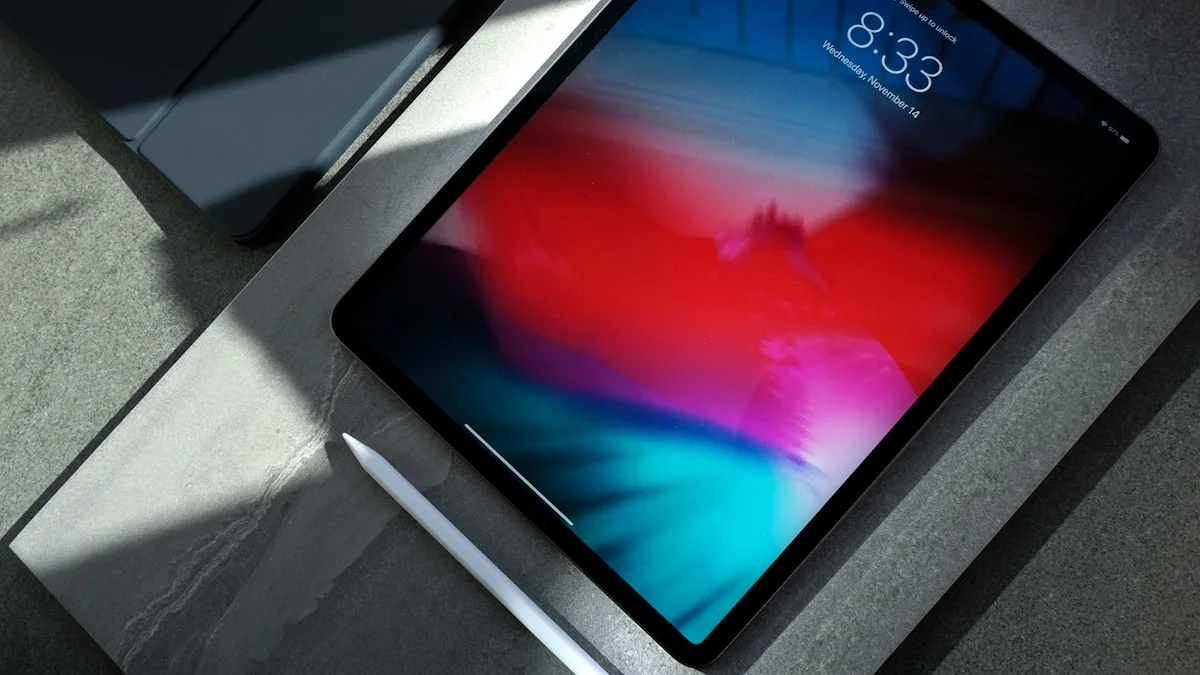
The iPad Pro M5 is the best tablet Apple has ever made: a tandem OLED screen with no equal, a chip with real headroom for video, photo, and 3D work, and iPadOS 26's new windowing that finally makes multitasking usable. After Apple's June 2026 price hike it starts at $1,499 for the 13-inch model, which is a lot to ask for a tablet. Buy it if your work genuinely needs the power. Most people should buy the iPad Air M4 instead and save several hundred dollars.
Check Price on AmazonThe Good
The Bad
Scores by category
Real gains over M4 in Gizmodo's testing, but 256GB/512GB tiers ship a binned 9-core CPU and 12GB RAM, not the full chip.
The tandem OLED panel, 1,000 nits sustained and 1,600 nits peak HDR, has no equal on any tablet.
iPadOS 26's windowed multitasking closes real ground on a laptop, but Xcode and full desktop apps like Premiere Pro still don't exist here.
Apple rates it for about 10 hours of web browsing, solid but not a standout versus past iPad Pro models.
Apple's June 2026 price hike pushed the 13-inch model to $1,499, hard to justify unless your work genuinely needs the extra power.
Specifications
| Display | 13-inch tandem OLED, 2752x2064, 120Hz ProMotion |
|---|---|
| Brightness | 1,000 nits sustained / 1,600 nits peak HDR |
| Chip | Apple M5, 9-core or 10-core CPU depending on storage tier |
| RAM | 12GB (256GB/512GB models) or 16GB (1TB/2TB models) |
| Battery | 38.99Wh, up to 10 hours web browsing on Wi-Fi |
| Weight | 579g (Wi-Fi model) |
| Storage options | 256GB, 512GB, 1TB, 2TB |
| Connectivity | Wi-Fi 7 (802.11be), Bluetooth 6 |
| Port | Thunderbolt / USB 4, up to 40Gb/s |
| Starting price | $1,499 (13-inch, 256GB, post June 2026 price hike) |
grimtech is a research-and-recommendation site. Our picks come from specs, published testing, and owner feedback, not from who pays us. Links may earn a commission at no extra cost to you. See how we test.
The Bottom Line
The iPad Pro M5, launched in October 2025, is still Apple’s flagship tablet with no successor expected until spring 2027. Based on Apple’s published specs and testing from outlets like Gizmodo, Macworld, and Creative Bloq, it’s the fastest, best-screened tablet you can buy today. The catch is Apple’s June 2026 price increase: the 13-inch model now starts at $1,499, up from $1,299 at launch, part of a lineup-wide hike Apple attributed to a memory and storage chip shortage.
Rating: 4.3/5, excellent hardware, a real price problem for most buyers.
Buy if: you edit 4K/8K video, do 3D modeling or sculpting, or shoot and process RAW photos professionally. Skip if: you browse, stream, email, or take notes. The iPad Air M4 does that for hundreds less.
What’s Actually New in the M5 Chip
Apple’s M5 (also used in the 14-inch MacBook Pro and Vision Pro) brings a redesigned GPU with a dedicated Neural Accelerator in every core. Apple’s own claim is over 4x the peak GPU compute for AI workloads compared to M4, and over 6x compared to the original M1. Memory bandwidth is up nearly 30% over M4, to 153GB/s.
Configuration matters more than it used to. The 256GB and 512GB iPad Pro M5 models ship with a binned 9-core CPU, 10-core GPU, and 12GB of RAM. Only the 1TB and 2TB models get the full 10-core CPU and 16GB of RAM. If sustained performance is the reason you’re buying this tablet, the entry storage tier isn’t the full chip.
Independent benchmarks show smaller real-world gains than Apple’s marketing implies. Gizmodo’s testing found the M5 scoring roughly 470 points higher on Geekbench single-core and about 1,655 points higher multi-core than the outgoing M4, and 3D rendering tasks completing in around 40 seconds versus 50 seconds on M4. That’s a real but incremental jump, not a generational leap, and most iPad apps don’t yet push hard enough to expose the difference. Reviewers generally recommend the upgrade to people still on an M1 or M2 iPad Pro, and recommend skipping it if you already own an M4 model.
The Display: Still the Best Screen on Any Tablet
The tandem OLED panel, two OLED layers stacked to boost brightness without sacrificing contrast, remains the standout feature and is widely cited by reviewers as better than the screen on any MacBook.
- 13-inch: 2752x2064, 120Hz ProMotion, 1,000 nits sustained / 1,600 nits peak HDR
- Infinite per-pixel contrast versus the iPad Air’s LCD panel
- A matte nano-texture glass option is available for about $100 extra, useful if you work under bright light or glare
If you edit photos or video, or watch a lot of HDR content, the OLED upgrade over the iPad Air’s LCD is genuinely visible. For email, browsing, and note-taking, it’s a nice-to-have, not a reason to spend $750 more.
iPadOS Finally Caught Up, Partly
The most outdated part of the old case against iPad Pro was “iPadOS doesn’t have pro apps.” That’s no longer fully true.
Final Cut Pro and Logic Pro run on iPad, and have since 2023, bundled under Apple’s Creator Studio subscription alongside Pixelmator Pro. Apple shipped meaningful updates to both apps in 2026, including the ability to extend a Final Cut Pro workspace onto an external monitor.
iPadOS 26 added real windowed multitasking. Instead of the old Split View and Slide Over limits, you can now resize and overlap multiple app windows more like a desktop. Reviewers describe it as close to desktop-class multitasking, with the caveat that the iPad’s aspect ratio and bezels still force smaller windows than you’d get on an actual monitor.
External monitor support is also genuinely better. iPadOS 26 supports true extended-desktop mode on a connected display rather than simple mirroring, letting you run independent windows across both screens.
What’s still missing: Xcode and most desktop-only professional software (DaVinci Resolve Studio, Adobe Premiere Pro’s full desktop version) don’t exist on iPadOS, and file management is still more restrictive than macOS. The gap with a laptop has narrowed. It hasn’t closed.
Who Should Buy the iPad Pro M5
Buy it if you’re a:
- Video editor working in LumaFusion or the iPad version of Final Cut Pro, especially at 4K or higher
- 3D artist doing sculpting or modeling in apps like Nomad Sculpt or Shapr3D, for the low-latency Apple Pencil Pro input, though full-scene rendering with heavy assets is still better suited to a desktop
- Photographer processing large RAW libraries who wants AI-accelerated tools and a color-accurate screen
- Digital artist in Procreate or Affinity Designer, working with large canvases and many layers
Skip it if you:
- Mostly browse, email, and stream. The base iPad or iPad Air M4 covers this with room to spare
- Take notes and read. Any current iPad handles this
- Need a true laptop replacement for coding or heavy multitasking. A MacBook Air or MacBook Pro will serve you better; see our iPad Pro M5 vs MacBook Pro M5 comparison for the full trade-offs
- Are price-sensitive. The iPad Air M4 is roughly 80% of the experience for around half the cost at the entry tier
iPad Pro M5 vs iPad Air M4 vs MacBook Air
| iPad Pro M5 (13”) | iPad Air M4 (13”) | MacBook Air M5 (13”) | |
|---|---|---|---|
| Starting price (2026) | $1,499 | $949 | $1,299 |
| Chip | M5 | M4 | M5 |
| Display | 13” tandem OLED, 120Hz | 13” LCD, 60Hz | 13” Liquid Retina LCD |
| RAM | 12GB (16GB on 1TB/2TB) | 12GB | 16GB+ |
| Multitasking | iPadOS 26 windowed apps | iPadOS 26 windowed apps | Full macOS |
| Best for | Creative pro work | Everyday use, casual creative work | Real computing: coding, unlimited apps, full file system |
The honest takeaway: if you need a full computer, the MacBook Air is the better buy at a similar starting price to the iPad Pro, and it’s covered in more depth in our best laptops guide. If you just want a very good tablet, the iPad Air M4 gets you there for hundreds less. The iPad Pro M5 earns its price only when the OLED screen, Apple Pencil latency, or sustained chip performance are things your work actually uses.
Storage: Don’t Overpay for It
iPad Pro M5 storage tiers (13-inch, post price hike): 256GB at $1,499, 512GB at $1,699, 1TB at $2,099, 2TB at $2,599.
Storage prices have been pushed up further by the same 2026 NAND shortage behind Apple’s broader price increase, the same shortage that’s currently affecting portable SSD prices industry-wide (see our best portable SSDs guide for how that’s playing out on the accessory side). Given that, paying Apple’s premium for the top storage tiers is hard to justify:
- 256GB is workable if you lean on iCloud or another cloud service
- 512GB is the realistic sweet spot for most creative work
- 1TB or 2TB only make sense if you routinely work with large local video or RAW libraries and can’t rely on external storage. Otherwise, an external SSD connected over the iPad’s Thunderbolt/USB-C port is cheaper per gigabyte
Accessories
Magic Keyboard turns the iPad Pro into something closer to a laptop and is worth it if you type often, but it adds real weight and cost on top of the tablet.
Apple Pencil Pro is effectively mandatory for artists and designers; the squeeze gesture, barrel roll, and haptic feedback are genuine workflow improvements over the previous Pencil. If you only take notes occasionally, the cheaper Apple Pencil (USB-C) is enough.
Budget for accessories separately: keyboard and Pencil together typically add $400 to $500 on top of the tablet’s price.
The Verdict
The iPad Pro M5 is the best tablet Apple has made, and iPadOS 26 closed some of the software gap that made past Pro models feel like wasted potential. But Apple’s June 2026 price increase makes the value case harder than it was at launch: $1,499 for a 13-inch tablet is a serious purchase, and most people simply don’t have a workflow that uses what this chip and screen can do.
Buy it if you’re a video editor, 3D artist, photographer, or digital artist who will genuinely use the extra power and screen quality. Wait or buy the iPad Air M4 instead if you’re unsure, or if your use case is browsing, note-taking, or casual creative work.
Rating: 4.3/5. Excellent hardware, meaningfully improved software, priced for a specific kind of buyer rather than most people.
Affiliate disclosure: grimtech may earn a commission on purchases made through the links above, at no extra cost to you. It does not change what we recommend.
Similar Products Worth Considering
Other products our team has reviewed in this category.



Tech reviews & buying advice
grimtech is an independent tech-review publication. We test and research gear, cut the hype, and give one clear recommendation you can act on. Our rule is simple: trust is the whole business, so we never let a commission shape a verdict, if the cheaper or older product is the right call, that's what we tell you. We earn affiliate commissions when you buy through our links, at no extra cost to you, and that never changes what we recommend.