The Verdict
At $49.99, the Streaming Stick 4K is a solid, no-surprises 4K streamer. But Roku's own $39.99 Streaming Stick Plus covers most people's needs for less, and Amazon's Fire TV Stick 4K Plus now matches it on price.
Check Price on AmazonThe Good
- Every major streaming app, including Apple TV+
- Simple, button-only remote, no touch gimmicks
- 4K HDR10+ and Dolby Vision support
- Long-range Wi-Fi antenna built into the power cable
- Roku's interface is fast and easy to navigate
The Bad
- Needs a separate power adapter, unlike the self-powered Stick Plus
- Home screen carries ads and sponsored rows
- No longer clearly cheaper than Fire TV Stick 4K Plus, which matches it at $49.99
- Roku's own $39.99 Streaming Stick Plus covers most of the same ground
Scores by category
4K HDR10+ and Dolby Vision cover what nearly every modern TV can display.
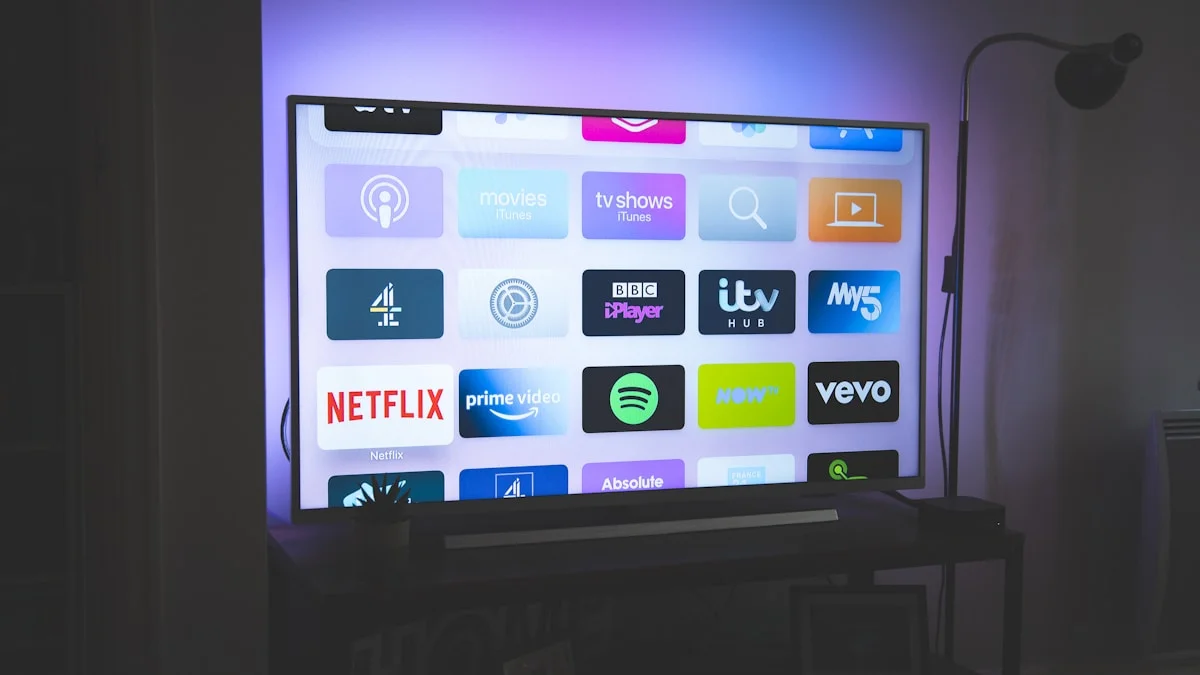
Every major streaming app is here, including Apple TV+, plus 500-plus free channels through the Roku Channel.
The power cable's long-range antenna tested at roughly 100Mbps versus about 20Mbps for the cheaper Stick Plus, per PCWorld.
Menus load quickly and the button-only remote skips touch gimmicks and gestures.
At $49.99 it now matches Fire TV Stick 4K Plus on price and costs $10 more than Roku's own Stick Plus, which covers most of the same ground.
Specifications
| Max Resolution | 4K (2160p) at 60fps |
|---|---|
| HDR Formats | Dolby Vision, HDR10+, HDR10, HLG |
| Wi-Fi | 802.11ac dual-band MIMO (Wi-Fi 5) with long-range receiver |
| RAM | 1 GB |
| HDMI | HDMI 2.0b |
| Power | 5V / 1A, under 3.5W while streaming 4K |
| Weight | 0.90 oz (26 g) |
| Dimensions | 3.7 x 0.80 x 0.45 in |
| Remote | Roku Voice Remote with TV power/volume, 2x AAA batteries included |
| MSRP | $49.99 |
grimtech is a research-and-recommendation site. Our picks come from specs, published testing, and owner feedback, not from who pays us. Links may earn a commission at no extra cost to you. See how we test.
$49.99, Still Good, But No Longer the Obvious Cheap Pick
Roku’s Streaming Stick 4K lists for $49.99. That undercuts Apple TV 4K, which jumped to $199 for the base 64GB model in mid-2026, by an even wider margin than before, and still covers every major app: Netflix, Disney+, Prime Video, Max, Paramount+, and, yes, Apple TV+.
What’s changed since this device launched is the rest of the streaming-stick field. In 2025, Roku introduced the Streaming Stick Plus at $39.99, a cheaper stick that covers most of the same ground. And Amazon has restructured its own lineup into Select, Plus, and Max tiers for 2026; the Fire TV Stick 4K Plus, the direct Dolby Vision comparable, lists at the same $49.99, so the Stick 4K’s old “cheapest 4K stick around” pitch no longer holds up unqualified.
Buy the Roku Streaming Stick 4K on Amazon
Who This Is For
- Anyone plugging a streamer into an older or budget TV whose built-in smart platform is slow or bloated.
- Buyers who specifically want Dolby Vision and a stronger Wi-Fi signal at the edge of a house, both of which the cheaper Stick Plus lacks.
- Gift buyers who want something reliable under $50; see our broader best tech gifts guide for other picks in the same range.
- Not for: buyers who don’t care about Dolby Vision or long-range Wi-Fi. That group should buy the Stick Plus and pocket the $10.
What’s Good
- App coverage. Every major streaming service is here, plus 500-plus free ad-supported channels through the Roku Channel.
- The remote. Power, volume, playback, and a voice search button. No touch surface, no motion gestures to fumble with.
- Picture quality. 4K with HDR10+ and Dolby Vision, which most budget TVs and even some mid-range ones don’t support natively without a streamer like this.
- Interface speed. Roku’s menus load quickly and don’t bury content behind multiple confirmation screens the way some smart-TV software does.
The Trade-offs
- Ads on the home screen. Sponsored rows and a full-screen ad on wake are part of the deal. Every major streaming stick does this now; Roku is not uniquely worse.
- A separate power adapter. The Stick 4K needs a USB power brick plugged into an outlet or a powered USB port. The cheaper Stick Plus can draw power directly from a TV’s own USB port, which matters if your outlet situation behind the TV is tight.
- Price parity, not price advantage. At $49.99, this stick costs the same as Amazon’s Fire TV Stick 4K Plus. The “it’s obviously the cheap one” pitch from a few years ago doesn’t hold anymore.
How the 2026 Streaming Stick Field Actually Compares
| Device | Price | HDR | Notable trade-off |
|---|---|---|---|
| Roku Streaming Stick 4K | $49.99 | HDR10+, Dolby Vision | Needs a wall power adapter |
| Roku Streaming Stick Plus (2025) | $39.99 | HDR10+, HLG (no Dolby Vision) | Weaker long-range Wi-Fi, but self-powers from a TV’s USB port |
| Fire TV Stick 4K Plus | $49.99 | HDR10+, Dolby Vision | Wi-Fi 6, but leans harder into Alexa and Amazon shopping prompts |
| Fire TV Stick 4K Select | around $35 to $40 | HDR10+ only, no Dolby Vision | Amazon’s newer, more limited app platform in place of Fire OS |
| Google TV Streamer | around $99 (frequently discounted) | Dolby Vision | A small box, not a stick, with a smart-home hub built in |
| Apple TV 4K | $199 for 64GB (up from $129 before mid-2026) | Dolby Vision | Best remote and Apple ecosystem integration, at roughly 4x the price |
Prices fluctuate with retailer sales, so treat these as a snapshot rather than a guarantee. If you’re timing a purchase around a sale window, check the item’s price history first, since that’s the only reliable way to tell a real discount from an inflated one.
Who Should Buy the Stick Plus Instead
If you don’t specifically need Dolby Vision, and your TV already sits close enough to the router that Wi-Fi range isn’t a concern, buy the Streaming Stick Plus and save $10. It runs the same Roku interface, has the same app catalog, and skips the power adapter entirely by drawing power from the TV’s own USB port. For a majority of living-room setups, that’s the smarter buy, and it’s a good example of why we don’t default to the priciest option in our budget tech roundups either.
Who Should Buy the Stick 4K
Buy this one if your TV lives far enough from the router that Wi-Fi range genuinely struggles, or if your TV supports Dolby Vision and you want to actually use it. The long-range Wi-Fi antenna built into the power cable is a real, measurable difference (roughly 100Mbps versus about 20Mbps for the Plus at distance, per PCWorld’s testing), not a marketing footnote.
Who Should Skip It Entirely
- If your TV already runs Roku OS, Google TV, or another modern smart platform natively and it isn’t slow, you likely don’t need a separate streaming stick at all.
- If you’re deep in the Apple ecosystem (AirPlay, HomeKit, Apple Arcade), Apple TV 4K is worth the premium for you specifically, even though it’s a worse value for most people, especially after its price jumped to $199 in mid-2026.
- If you already own Echo smart speakers and want the tightest possible Alexa integration, Fire TV Stick 4K Plus is the better fit at the same $49.99 price.
The Verdict
Buy the Roku Streaming Stick 4K if you want Dolby Vision and stronger Wi-Fi range at $49.99. Buy the Roku Streaming Stick Plus instead if neither of those matters to you; it’s $10 cheaper and covers the same core need. Skip Apple TV 4K unless you’re specifically buying into the Apple ecosystem; at $199 for the base model, it’s an easier skip than it used to be.
Rating: 4.0/5
Buy the Roku Streaming Stick 4K on Amazon
Frequently Asked Questions
Is the Roku Streaming Stick 4K still worth buying in 2026?
Yes, as a dependable 4K streamer, but it’s no longer the standout budget pick it once was. Roku’s own Streaming Stick Plus (2025) covers the same core need for $10 less, and Amazon’s Fire TV Stick 4K Plus now matches the Stick 4K’s $49.99 price. Buy this one specifically if you want Dolby Vision and stronger long-range Wi-Fi.
What’s the difference between the Roku Streaming Stick 4K and the Streaming Stick Plus?
The Stick 4K adds Dolby Vision (the Plus tops out at HDR10+) and a power cable that doubles as a long-range Wi-Fi antenna, which testing from PCWorld measured at roughly 100Mbps versus about 20Mbps for the Plus at distance. The Plus, in turn, can power itself from a TV’s USB port and skip the wall adapter entirely. For $10 less, that’s the better deal in most rooms.
Roku Streaming Stick 4K or Fire TV Stick 4K, which should I buy?
They’re priced about the same now. Roku’s Stick 4K is $49.99, and Amazon’s direct comparable, the Fire TV Stick 4K Plus, also lists at $49.99 with Dolby Vision and Wi-Fi 6. Amazon also sells a cheaper Fire TV Stick 4K Select around $35 to $40 that drops Dolby Vision and runs a newer, more limited app platform instead of Fire OS, so check specs before assuming the cheaper Fire TV option matches Roku feature for feature. Roku’s menus are simpler and less focused on pushing its own storefront. If you already own Echo devices, Fire TV Stick 4K Plus edges ahead; otherwise Roku is the easier recommendation.
Is the Roku Streaming Stick 4K better than Apple TV 4K?
For most people, yes, on value. Apple TV 4K jumped to $199 for the 64GB model in mid-2026, roughly four times the Roku’s price, for a nicer remote and deeper Apple ecosystem integration. Unless you specifically need AirPlay, Apple Arcade, or HomeKit control, the Roku plays the same streaming apps for about a quarter of the cost.
Does the Roku Streaming Stick 4K need a power outlet?
Yes. Unlike the newer Streaming Stick Plus, which can draw power from a TV’s USB port, the Stick 4K ships with a separate USB power adapter and needs a free outlet or powered USB port near the TV.
This review is based on Roku’s published specifications, current retail listings, and third-party testing from outlets including PCWorld and BGR, cross-checked before publishing. We have not independently benchmarked this unit’s Wi-Fi range ourselves.
Last updated: July 9, 2026.

Tech reviews & buying advice
grimtech is an independent tech-review publication. We test and research gear, cut the hype, and give one clear recommendation you can act on. Our rule is simple: trust is the whole business, so we never let a commission shape a verdict, if the cheaper or older product is the right call, that's what we tell you. We earn affiliate commissions when you buy through our links, at no extra cost to you, and that never changes what we recommend.