Do smart home devices actually save money?
Some do, meaningfully. Energy Star credits certified smart thermostats with roughly 8% off heating and cooling bills, about $50 a year on average, and a smart plug that kills phantom power on an idle TV or PC setup can pay for itself in a few months. Most other smart home gadgets, doorbells, locks, cameras, speakers, buy convenience or security, not a lower bill.
Affiliate disclosure: This guide contains affiliate links. If you buy through them, we may earn a commission at no extra cost to you. It never changes what we recommend. Prices move constantly and vary by retailer, so check the current price before you buy.
Quick Picks (Click Shop)
The one-line verdict: a smart thermostat is the only smart home purchase likely to make a visible dent in your utility bill on its own; smart plugs on always-on electronics are the fastest to pay for themselves; everything else on the “saves you money” shelf, doorbells, locks, cameras, blinds, is really a security or convenience purchase wearing a savings label.
This guide is for:
- homeowners deciding which smart devices are worth the upfront cost,
- anyone who’s seen a “$800/year in savings” claim and wants the honest version,
- renters and owners who want to know which category (thermostat, plugs, bulbs) to prioritize first.
Skip this guide if you already have a smart thermostat and plugs on your big always-on electronics; the remaining categories below (locks, cameras, blinds) are worth buying for security and convenience, just not for the electric bill.
What the Data Actually Shows
Three independent sources give a much more honest picture than most product listings:
- Energy Star: certified smart thermostats average about 8% off combined heating and cooling costs, roughly $50 a year for a typical household, based on aggregated real-world usage data rather than lab tests. Savings vary by climate, HVAC equipment, and how well you were already managing your schedule.
- U.S. Department of Energy: an optimized schedule with an 8-hour temperature setback (lower while you sleep or work, normal otherwise) can cut annual heating and cooling costs by up to 10%, whether or not the thermostat is “smart.” The savings come from the schedule, not the app.
- Lawrence Berkeley National Laboratory: standby (“phantom”) power draw from devices that are plugged in but not actively in use accounts for roughly 5 to 10% of a typical home’s electricity use. That’s the pool of savings smart plugs are competing for.
None of this matches the “$800+ a year” figures some smart home posts throw around. Real savings are real, but modest, and concentrated in two categories: thermostats and plugs on always-on electronics.
How we chose
This guide is built on Energy Star and DOE published savings data, manufacturer specs, current retail pricing, and patterns reported across owner reviews and independent outlets that cover smart home tech. It is not a first-hand, months-long test of every device below; where a figure can’t be independently verified, we’ve given a range or attributed it to its source rather than presenting a made-up precise number.
Buy: Smart Thermostats
Price: Ecobee’s 2026 lineup lists at $139.99 (Essential), $199.99 (Enhanced), and $259.99 (Premium) direct from ecobee.com, with retailers occasionally running them a bit lower; Google’s Nest Learning Thermostat (4th gen) lists at $279.99 and is regularly discounted to $229 to $240 at Amazon and other retailers.
Ecobee Smart Thermostat on Amazon | Nest Learning Thermostat on Amazon
This is the highest-confidence pick on the list, because it’s the only category with independent third-party savings data (Energy Star, DOE) behind it rather than just a manufacturer’s own study.
Why it’s the priority buy
- Automatic scheduling and geofencing address the single biggest energy line item in most homes: heating and cooling.
- Ecobee’s Enhanced and Premium models include a room sensor, which fixes the common problem of a hallway thermostat misreading the temperature in rooms you actually use.
- Nest’s learning algorithm builds a schedule automatically within the first one to two weeks, which suits people who don’t want to configure one by hand.
The honest tradeoffs
- Both typically require a C-wire; older homes without one may need an electrician, an added cost the sticker price doesn’t include.
- Ecobee’s marketing claims up to 26% savings; Energy Star’s independent average across certified models is closer to 8%. Treat manufacturer numbers as a ceiling, not a typical result.
- If you already run a disciplined manual schedule (setback at night, normal when home), a smart thermostat’s additional savings over what you’re already doing will be smaller than the headline number suggests.
Ecobee vs. Nest: Ecobee gives you a lower entry price and a room sensor that measures where you actually live, not just where the thermostat hangs. Nest has a cleaner interface and does the scheduling thinking for you. For most people, we’d lead with Ecobee’s Enhanced tier as the best combination of price and accuracy; buy Nest if you specifically want a “set it and forget it” experience and don’t mind paying more for it.
Skip if: you rent and can’t install one, or your HVAC system is already zoned and finely controlled by a professional system.
For the broader energy-efficiency picture beyond thermostats, see our roundup of tech that actually saves money.
Buy: Smart Plugs (For Always-On Electronics)
Price: Typically $20 to $30 for a 4-pack of basic Wi-Fi smart plugs from TP-Link Kasa or similar brands.
TP-Link Kasa Smart Plugs on Amazon
Why they’re worth it
- Devices you assume are “off,” TVs, game consoles, desktop PCs, cable boxes, chargers, routers, often draw 5 to 40 watts continuously in standby.
- A smart plug lets you schedule or one-tap cut power to a whole entertainment or desk setup, reclaiming a meaningful slice of that 5 to 10% standby-power share of your electric bill.
- Low upfront cost means the payback period is short, often a few months for the electronics that draw the most in standby.
The honest tradeoffs
- Not everything should go on a smart plug: routers, security systems, and anything with a hard shutdown penalty (some game consoles need to stay on for updates) should stay plugged in directly.
- The plug itself draws a small amount of standby power too, roughly 0.5 to 1.5 watts, which is negligible but not zero.
- Savings scale with how much standby power the device behind the plug actually draws; a lamp or already-efficient device won’t move the needle much.
Best targets: TV and soundbar stacks, desktop computers with monitors and peripherals, printers, and any charger left in the wall.
Skip if: your electronics are already on a manual power strip you reliably switch off, or the target device can’t safely lose power on a schedule.
Situational: Smart LED Bulbs
Price: Basic smart bulbs run about $10 to $20 each; the Philips Hue White and Color Ambiance Starter Kit (bridge plus four bulbs), verified ASIN B09BSHFLD9, typically lists near $300 to $360, though it’s frequently discounted.
Philips Hue Starter Kit on Amazon
Here’s the part most “smart bulbs save money” posts skip: the energy saving comes from the LED, not the “smart” part. The U.S. Department of Energy says LEDs use at least 75% less energy than incandescent bulbs and last about 25 times longer. A plain $3 to $5 LED from any hardware store captures nearly all of that.
What the smart premium actually buys
- Scheduling, motion-based automation, and remote control, genuinely useful for convenience, and worth a little extra energy saving if you’re bad about turning lights off.
- Color and tunable white light, a comfort and ambiance feature, not an energy feature.
- Hue’s ecosystem specifically requires a Bridge for full smart functionality, which is most of what pushes the starter kit’s price into premium territory.
Buy the plain LED for pure savings. Buy Hue (or a similar smart bulb) if scheduling, automation, or the color features matter enough to you to pay the premium, not because it will meaningfully beat a $4 LED on the electric bill.
Skip (For Energy Savings): Locks, Doorbells, Cameras, Blinds, Speakers
These devices get bundled into “smart home saves you money” content constantly, and the framing is misleading. They’re good products for what they actually do, security, monitoring, convenience, just not for cutting your utility bill.
| Device | Typical price (2026) | What it actually saves you |
|---|---|---|
| Ring Video Doorbell | $50-$230 (up to ~$350 for the PoE Elite) | Security and package monitoring; not an energy saving |
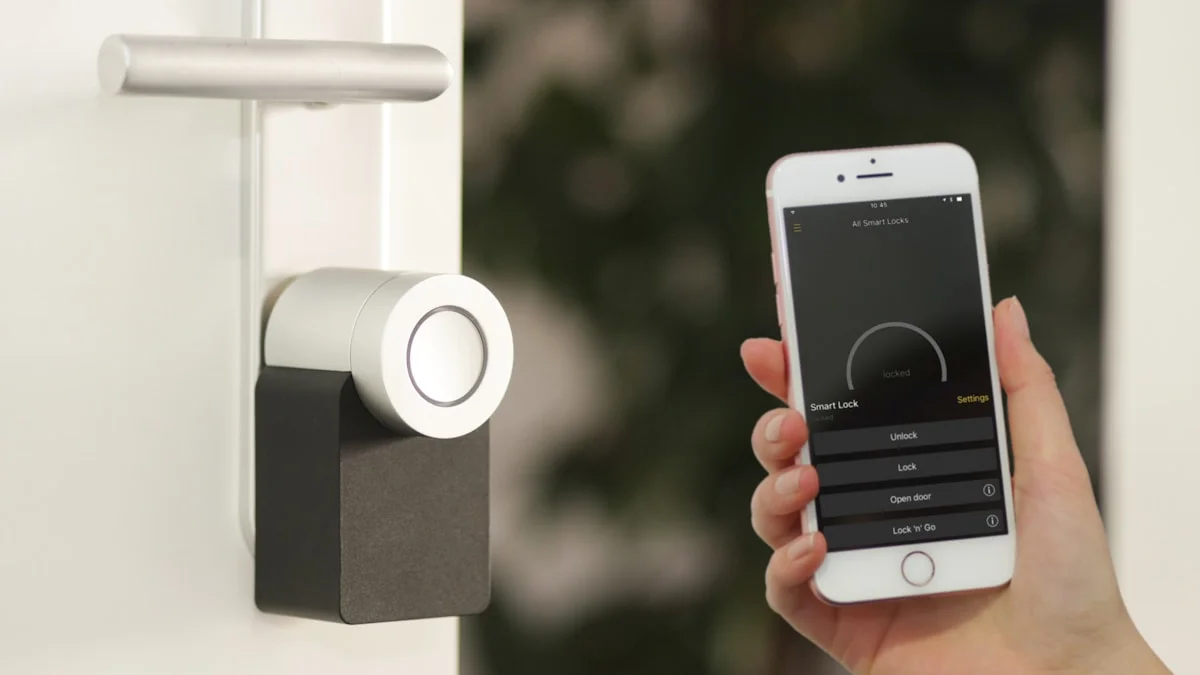
| Smart Door Lock (August, Schlage Encode) | $180-$300 | Keyless convenience; possible small insurance discount, not a bill reduction |
| Smart Cameras | $30-$200 | Security only |
| Smart Blinds | ~$100+ per window | Some passive heat/light management, but unverified as a standalone savings figure; mostly convenience |
| Smart Speakers (Echo, Nest Mini) | $30-$100 | Voice control convenience; no energy saving |
| Water Leak Detector | $15-$40 per sensor | Damage prevention, a real but occasional saving, not a recurring utility saving |
A water leak detector deserves a specific honest note: it doesn’t lower your monthly bill, but catching a slow leak under a sink before it becomes a flooring or drywall repair is a genuine, if situational, financial saving. It just isn’t comparable to a thermostat’s ongoing utility reduction, and there’s no way to verify a “typical” dollar figure for damage most homes never experience.
On insurance discounts specifically: some insurers offer a modest discount, commonly cited around 1 to 3% on a homeowners policy, for having a monitored lock, camera, or leak sensor, occasionally more for a full bundled system. It’s real but small, varies significantly by insurer and state, and is not guaranteed, so confirm with your own provider before counting on it.
If you’re shopping this category for the security or convenience value (which is a legitimate reason to buy), the Amazon Echo Show 8 review covers what a smart display is (and isn’t) good for.
Skip Entirely: Smart Major Appliances
Smart fridges, ovens, washers, and dishwashers routinely cost $1,000 to $3,000+ more than their non-smart equivalents, while their efficiency gains come from the appliance’s Energy Star rating, not its Wi-Fi connection. If efficiency is the goal, buy the most efficient non-smart model in your budget and put the difference toward a thermostat and a few smart plugs instead.
Where to Start (Priority Order)
- Smart thermostat first. It’s the only category with independent data behind a real, if modest, savings figure.
- Smart plugs on your TV/console stack and desktop setup next. Cheapest buy-in, fastest payback.
- Plain LED bulbs everywhere, save the smart/color premium for rooms where you’ll actually use scheduling or ambiance features.
- Everything else (locks, doorbells, cameras, blinds), buy for security and convenience, not for the electric bill.
If your budget is tight and you’re comparing where else your money goes further, our best tech under $100 guide and Wi-Fi 7 router guide (a reliable network is what makes any of this work at all) are useful next reads.
The Bottom Line
Buy it: a smart thermostat (Ecobee for value and room-sensing accuracy, Nest if you want the simplest setup) is the one smart home purchase most homes should make for the utility bill. Pair it with smart plugs on your biggest always-on electronics for the fastest payback.
Skip it, for savings: doorbells, cameras, locks, blinds, and speakers. Buy them if you want the security or convenience, not because they’ll show up on your electric bill.

Tech reviews & buying advice
grimtech is an independent tech-review publication. We test and research gear, cut the hype, and give one clear recommendation you can act on. Our rule is simple: trust is the whole business, so we never let a commission shape a verdict, if the cheaper or older product is the right call, that's what we tell you. We earn affiliate commissions when you buy through our links, at no extra cost to you, and that never changes what we recommend.