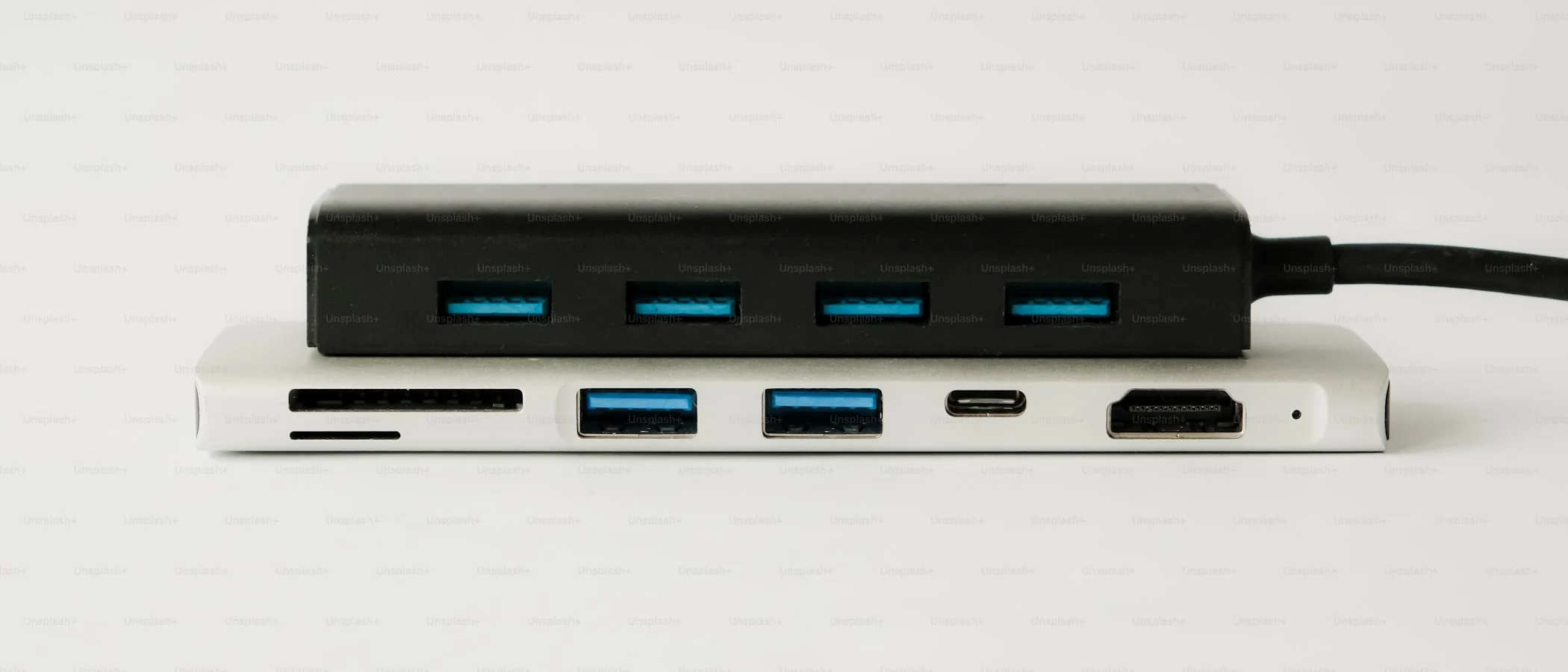
What is the best USB-C hub or dock in 2026?
For most people who just need ports on the go, the Anker 555 8-in-1 USB-C hub is the best budget pick, usually $40 to $65 depending on the sale. For a permanent desk setup, the CalDigit TS4 Thunderbolt dock is the most reliable one-cable option, typically $380 to $450.
Affiliate disclosure: This guide contains affiliate links. If you buy through them, we may earn a commission at no extra cost to you. It does not change our recommendations.
The one-line verdict
For most people traveling with a laptop, the Anker 555 8-in-1 USB-C hub is the right call at $40 to $65. For a permanent desk setup you never want to think about again, the CalDigit TS4 Thunderbolt dock is worth the higher price. Everything below explains which category fits your setup, and why the cheapest option in each one is usually a mistake.
Quick picks
If your current hub drops your monitor every 20 minutes, kills your Wi-Fi, or makes your laptop’s fan spin up like it’s rendering video, that’s not bad luck. It’s usually the wrong category of product for what you’re actually doing with it.
Hub vs dock vs Thunderbolt dock: pick your category first
Buy a USB-C hub if you travel and need enough ports for cheap. It lives in your bag, not on your desk.
Buy a USB-C dock if you want one-cable desk life: monitor, Ethernet, power, and peripherals through a single connection every time you sit down. Pair it with a solid desk setup and you stop touching cables at all.
Buy a Thunderbolt dock if you want the highest reliability, the most bandwidth, and the fewest compromises, especially if you also run fast external storage off the same cable.
Picking the category first, before comparing specific models, avoids the single biggest mistake in this product space: buying a $25 hub to do a $150 dock’s job.
What actually matters, and what’s just marketing
Video: Alt Mode vs DisplayLink
Alt Mode uses your laptop’s own GPU to drive the external display. It has the best latency and is the better choice for gaming or any latency-sensitive work, but it’s limited by what your laptop’s USB-C or Thunderbolt controller supports.
DisplayLink works differently: it compresses video and sends it over USB like data, using software on your laptop to reconstruct the image, effectively a “virtual GPU” over USB. It’s the only practical way to run dual external monitors on some Mac models that only support one native external display, but it requires drivers and adds a small amount of latency.
If a product listing highlights “DisplayLink” as a headline feature, that usually means the setup is more involved than plug-and-play. On some Macs it’s the only way to get dual monitors working at all, so it’s the right trade-off. On a laptop that already supports native multi-monitor output, it’s an unnecessary driver dependency.
Power delivery
If you want a single cable to also charge your laptop, look for 85 to 100W power delivery for most modern laptops. Anything meaningfully lower than your laptop’s own charger wattage means you’ll top up slowly while idle and lose ground while working hard, especially with an external monitor and Ethernet also drawing power through the same hub.
Ethernet and heat
Cheap, thin hubs run hot, and hot hubs disconnect. If Ethernet matters to your workflow, prefer a dock with more internal volume for heat dissipation and a brand with a track record, rather than the cheapest option with a Gigabit Ethernet port bullet-pointed on the box.
Best budget portable hub: Anker 555 (8-in-1)
Who it’s for: you want HDMI, USB-A, an SD card reader, and charging passthrough in something that lives in your bag, and you don’t want to spend dock money.
Anker 555 USB-C Hub (8-in-1) on Amazon, usually $40 to $65 depending on the sale.
Why it wins
- Small enough to actually carry every day, unlike a full dock.
- Covers the normal port list: USB-A, HDMI, SD/microSD, and USB-C power delivery passthrough.
- Anker’s build quality and driver support have a longer track record than most no-name aluminum hubs at the same price.
What you give up
- It is not a real docking station and won’t replace one on a permanent desk.
- Don’t expect stable dual 4K output, Ethernet, and 100W charging all at once from a hub this size. It’s built for one or two of those at a time, not all three.
Best Thunderbolt dock: CalDigit TS4
Who it’s for: you have a Thunderbolt-capable laptop and want a permanent desk setup with the fewest compromises.
CalDigit TS4 on Amazon, typically $380 to $450 depending on retailer and sales.
Trusted-outlet testing (Tom’s Hardware, PCWorld, and macOS-focused reviewers) has consistently ranked the TS4 as the top overall dock since it launched, and that hasn’t changed as of mid-2026. It offers 18 ports total, up to 98W of charging, and enough Thunderbolt bandwidth to run dual high-res monitors, fast external SSDs, and Ethernet at the same time without the dock becoming the bottleneck. CalDigit now also sells the newer TS5 and TS5 Plus, built for Thunderbolt 5 laptops with more bandwidth and up to 140W charging, but they demand newer hardware and a shorter compatibility list. Unless you specifically own a Thunderbolt 5 machine, the TS4 remains the safer, better-value recommendation. If you’re also shopping for a Thunderbolt-equipped laptop to pair it with, the Framework Laptop 16 is one of the few that makes full use of a dock like this.
Why it wins
- Thunderbolt bandwidth means fewer of the weird, hard-to-diagnose bottlenecks that show up on cheaper USB-C-only docks.
- Enough ports that you stop juggling dongles.
- Handles high-res monitors, fast storage, and peripherals simultaneously without a meaningful performance hit.
What you give up
- Price. This is the most expensive category in this guide by a wide margin.
- If your laptop doesn’t have Thunderbolt, you’re paying for bandwidth you can’t use. Check your laptop’s port spec before buying.
The honest alternative: the UGREEN Revodok Max 213 delivers most of the TS4’s practical capability for noticeably less money. It’s the right call if you don’t need the CalDigit’s absolute ceiling in bandwidth or port count and want to save $100 to $150.
Best dual-monitor dock for Windows: Plugable
Who it’s for: Windows laptop users running two external monitors who want compatibility documented up front instead of discovered through trial and error.
Plugable USB-C Dual Monitor Docking Station on Amazon. Plugable sells several dual-monitor models at different price points and port configurations, so check the current listing for the exact specs and price before buying.
Why it wins
- Plugable publishes compatibility details (which laptops, which chipsets, which OS versions) more clearly than most competitors, which cuts down on returns.
- Solid all-around “desk connector” for peripherals and Ethernet, not just displays.
What you give up
- Some dual-monitor models rely on DisplayLink rather than native video output. That’s not a defect, it’s the trade-off that makes dual monitors possible on laptops that don’t natively support it, but it does mean installing a driver.
Best simple desk dock: UGREEN Revodok (2 HDMI)
Who it’s for: you want an affordable desk dock with two HDMI outputs for ordinary office work: email, spreadsheets, video calls, code editing.
UGREEN Revodok USB-C Dock (2 HDMI) on Amazon, generally $70 to $130 depending on the specific model and port count.
Why it wins
- Cheap, widely available, and good enough for most non-demanding desk setups. Pairs well with a work-from-home monitor setup built around everyday productivity rather than gaming or creative work.
- A straightforward pick if all you need is two screens and a keyboard.
What you give up
- Not built for demanding workflows like fast external SSDs alongside multiple 4K panels.
- Check the specific model’s refresh rate limits before buying. Several budget docks in this line cap one or both HDMI outputs at 4K 30Hz rather than 60Hz, which is noticeable if you stare at text all day.
How we chose
We started from the category question (hub, dock, or Thunderbolt dock) rather than a single ranked list, because the right pick depends entirely on how you work, not on which product has the most ports printed on the box. Within each category we cross-referenced current published specs, manufacturer documentation, and reviews from established testing outlets (Tom’s Hardware, PCWorld, MacRumors) rather than relying on marketing copy, and we prioritized brands with a track record for thermal design and driver support, since that’s what actually determines whether a hub disconnects under real use.
The bottom line
If you want the simplest win: for portable use, get the Anker 555 8-in-1 hub. For a desk you don’t want to think about again, get the CalDigit TS4.
If your setup includes multiple monitors and you’re tired of random disconnects, spend the extra money once. The cheapest dock is rarely the one you keep.

Tech reviews & buying advice
grimtech is an independent tech-review publication. We test and research gear, cut the hype, and give one clear recommendation you can act on. Our rule is simple: trust is the whole business, so we never let a commission shape a verdict, if the cheaper or older product is the right call, that's what we tell you. We earn affiliate commissions when you buy through our links, at no extra cost to you, and that never changes what we recommend.