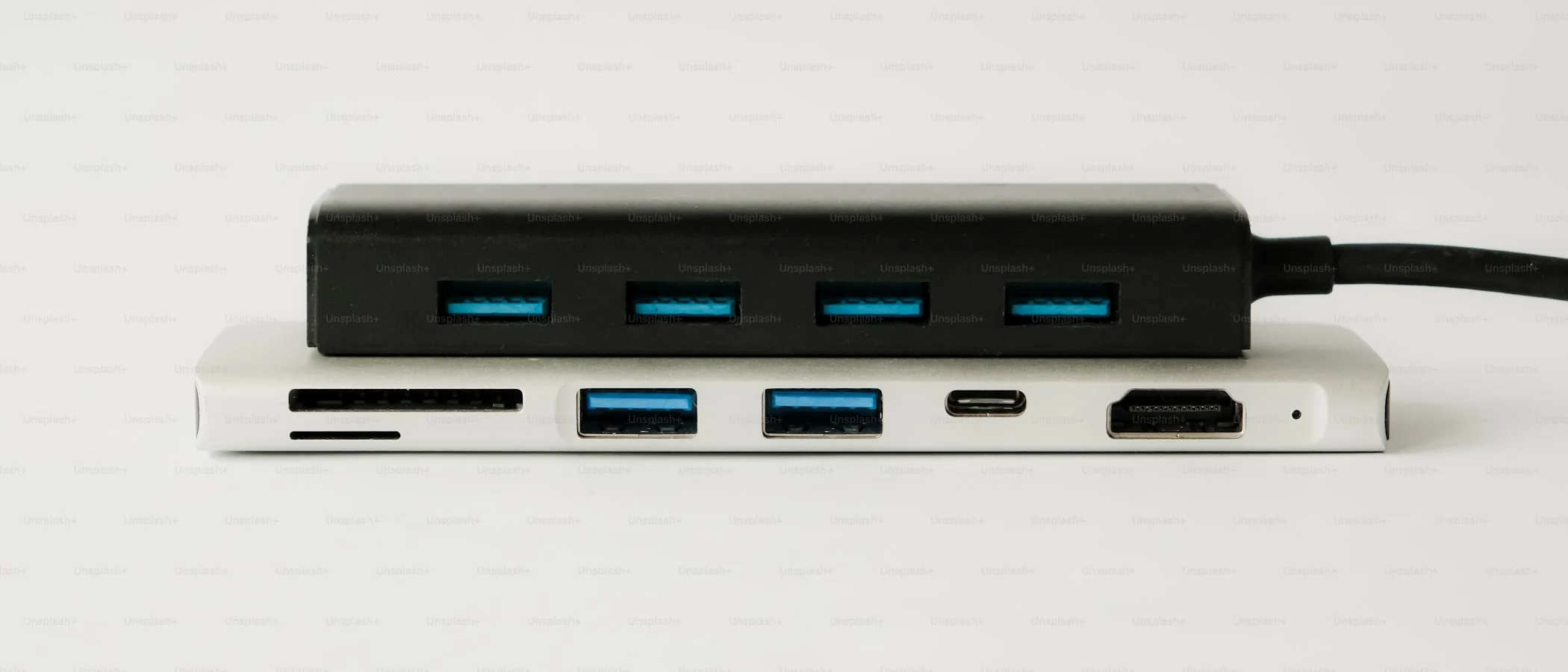
What is the best USB-C hub or dock in 2026?
The Anker 8-in-1 USB-C hub is the best budget portable option at $49. For a permanent desk setup, the CalDigit TS4 Thunderbolt dock is the most reliable one-cable solution.
Affiliate disclosure: This guide contains affiliate links. If you buy through them, we may earn a commission at no extra cost to you.
Quick Picks (Click → Shop)
If you’re here because your current hub:
- drops your monitor every 20 minutes,
- kills your Wi‑Fi,
- makes your laptop whine like a dying GPU,
…you’re not unlucky. You bought the wrong category of product.
The 30-Second Rule: Hub vs Dock vs Thunderbolt
Buy a USB‑C hub if you travel and need “enough ports” for cheap.
Buy a USB‑C dock if you want one-cable desk life (monitor(s) + Ethernet + power + keyboard/mouse).
Buy a Thunderbolt dock if you want the highest reliability, best bandwidth, and the fewest compromises.
What Actually Matters (And What’s Just Marketing)
1) Video: Alt Mode vs DisplayLink
- Alt Mode: Uses your laptop’s GPU. Best for gaming, best latency. Limited by your laptop’s USB‑C/Thunderbolt capabilities.
- DisplayLink: “Virtual GPU over USB.” Great for tricky multi-monitor setups, but adds drivers + potential latency. Often the only way to do dual external monitors on some Macs depending on model/OS.
If the product listing screams “DisplayLink” like it’s a feature, it’s because the setup is complicated. Sometimes it’s the right move. Sometimes it’s a tech support subscription.
2) Power Delivery (PD)
If you want one cable, look for 85–100W PD for most laptops. Anything lower and you’ll “charge” at the same speed you drain.
3) Ethernet + Heat
Cheap hubs overheat. Overheating hubs disconnect. Disconnections make you want to throw laptops into the sea.
If you’re using Ethernet, prefer bigger chassis (more thermal mass) and a brand with a track record.
Best Budget Portable Hub (Travel + Coffee Shop)
Who it’s for: you want HDMI + USB + SD + charging passthrough, and you don’t want to spend dock money.
Buy it here:
Anker USB‑C Hub (8‑in‑1) on Amazon
Why it wins
- Small enough to live in your bag.
- “Normal” port selection: USB‑A, HDMI, SD/microSD, USB‑C PD.
- Usually less flaky than the no-name aluminum rectangles.
What you give up
- It’s not a real docking station.
- It’s not magic: don’t expect stable dual 4K + Ethernet + 100W charging on a $40 gadget.
Best Thunderbolt Dock (The “Stop Thinking About It” Option)
Who it’s for: you want stability, bandwidth, and future-proof ports.
Buy it here:
CalDigit TS4 on Amazon
Why it wins
- Thunderbolt bandwidth = fewer weird bottlenecks.
- Enough ports that you stop playing dongle Tetris.
- Better for high-res monitors + fast storage + everything-at-once.
What you give up
- Price.
- If your laptop isn’t Thunderbolt, you’re paying for a sports car engine in a shopping cart.
Best Dual-Monitor Dock for Windows (Workhorse Setup)
Who it’s for: Windows laptop users with two monitors and a bad attitude about troubleshooting.
Buy it here:
Plugable USB‑C Dual Monitor Dock on Amazon
Why it wins
- Plugable tends to document compatibility like adults.
- Great “desk connector” for peripherals + Ethernet.
What you give up
- Some models use DisplayLink (drivers). That’s not “bad,” it’s just a choice.
Best Simple Desk Dock (Two HDMI Without Drama)
Who it’s for: you want an affordable desk dock with 2× HDMI for office work (email, spreadsheets, code).
Buy it here:
UGREEN USB‑C Dock (2 HDMI) on Amazon
Why it wins
- Cheap, common, and good enough for most people.
- Perfect for “I just need two screens and a keyboard.”
What you give up
- Not for high-end workflows (fast external SSDs + multiple 4K panels).
- Read the fine print on refresh rates (lots of these cap at 4K 30Hz on one/both ports).
FAQ (Because This Stuff Is Confusing on Purpose)
“Will this work with my MacBook?”
If it’s a Thunderbolt dock, usually yes. For plain USB‑C docks/hubs, it depends on your Mac model and whether you’re trying to run multiple monitors. When in doubt: Thunderbolt dock or DisplayLink dock.
“Do I need 4K 60Hz?”
If you stare at text all day, yes—60Hz reduces eye strain. If you can’t, at least don’t buy a dock that forces 30Hz.
“Why does my hub disconnect when I use Ethernet?”
Heat, power draw, and bad internal design. Translation: stop buying $18 hubs.
The Bottom Line
If you want the simplest win:
- Portable: get an Anker-style 8‑in‑1 hub.
- Desk: get a real Thunderbolt dock.
If your setup includes multiple monitors and you hate surprises, the cheapest dock is the one you don’t replace twice.